5 min read
38 things I keep forgetting
No two sites I build get built the same way. Some start in Lovable, some start from a repo I pulled down, some start from nothing. The list is the only part that stays the same.

I should probably start with an admission. I do not build sites the same way twice.
Some start in Lovable or v0, which I use mostly for inspiration and sometimes for a template I actually keep. Sometimes I pull down that repo. Sometimes I point Claude at it and have it copy the parts I liked. Sometimes I start from nothing, because the project does not suit any of it.
That is not a process. It works, and I would defend the flexibility of it, but calling it a method would be generous. It is probably something I should tighten up.
The bit that actually bites#
The problem is not the starting point. The problem is what comes after.
Most weeks I learn something new. A trick that shaves a chunk off the load time, an SEO detail I had never thought about, a small UI behaviour that makes a page feel better on a phone. And then I want it everywhere. Not just on the next site, on the existing ones too.
Which is where it falls apart, because there is no shared foundation to add it to. Six sites, built six ways. So the question stops being “how do I do this” and becomes “which of these have I already done it to”, and I genuinely cannot remember. I have opened a client site to add something and found it was already there. I have been equally sure something was done and found nothing.
So I wrote it down#
/blueprint is that list. Thirty-eight checks across six groups: foundations, components and interaction, SEO and metadata, performance, accessibility, and the last mile.
The important design decision is that it is not a build sequence. It does not assume you are starting a new site. It is an audit, and the question every item asks is “has this been done here”, not “do this next”. That matters because most of the time I am not starting anything. I am going back to something that already exists and shipped months ago.
You name the site at the top and the ticks stick to that name, so a client job and a personal build do not overwrite each other. Every check that has an example points at somewhere it is actually done, because “have I done X” is far more useful when it comes with “and here is what X looks like”.
Pointing an agent at it#
I wrote recently about why every site I build now gets a brand page, and the surprise benefit there was that a single page containing your whole theme is an excellent brief for an AI tool.
This is the same trick applied to a different job, and the difference is worth naming. The brand page is a reference: here is what my site looks like, match it. Blueprint is an instruction: here are thirty-eight things, go and check whether this site does them.
That second one is a much better use of an agent than my memory is. I do not have to recall the list, and I do not have to trust that I recalled all of it.
It caught me#
Worth saying, since a checklist that only ever proves its author was right is not much of a checklist.
Item five says set <html lang> correctly, en-GB rather than en. This site had en until last week. Item twenty-seven says every site gets a skip link, first element in the body, six lines of CSS. This site did not have one until I wrote that sentence. There is an item about print styles for anything anyone might print, and there is a CV on here, and there are still no print styles.
Three failures on the first pass, on the site whose author wrote the list. Two are fixed: the language attribute, and a skip link that now exists on every page because writing this paragraph made me go and add one. The third is still sitting there. Which is roughly the argument for having a list, and a decent illustration of what it is actually for. Not proving you were right. Catching you.
Not for clients, at least not yet#
I do not currently show this to clients, and I have thought about whether I should.
The honest reason is that most people do not care. I have shown clients Lighthouse scores and analytics and load-time numbers, and the reaction is polite rather than interested. What people care about is what they can see on their own device, in their own hand.
But here is the thing that changed my mind about the list’s value. A lot of what they see is exactly what is on it. Whether the button acknowledges a tap. Whether the page jumps while it loads. Whether the tap target is big enough for a thumb. Whether the link preview looks right when they send it to their sister. Those are small UI and UX details, and they are the difference between a site that feels finished and one that does not.
The client is not going to ask about item nineteen. They are going to notice its absence without knowing what they noticed.
Why it is public#
I started this as its own repo, and then thought better of it. It is my process, so it may as well live on my site alongside everything else I have built.
I have also made it public rather than keeping it private, which is the small leap. If someone reads it and finds one thing on there they had not thought about, that is a good outcome. There is nothing secret in it. It is thirty-eight things I keep forgetting, written down so that I stop.
Enjoyed this one?
Hit the heart so I know to write more like it.
Keep reading

£1,330 a year off three clients' bills
I kept telling people I save clients money without ever putting a number on it. So I built a running total that works itself out daily, and made it show where every line came from.
WAKOOS Centre4Children is live
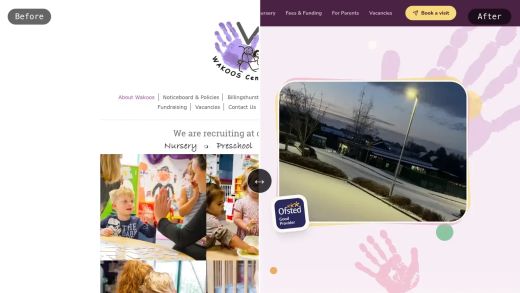
WAKOOS Centre4Children is up: a charity nursery in Billingshurst, off an ageing drag-and-drop site builder and onto Next.js on Cloudflare. £781 a year of hosting became about £20, and the £20 is just the domain names.
Why every site I build now gets a brand page
It started as a component library for one. It turned into the page I point AI tools at when I want them to understand my site without explaining it again.