Case study · Wakoos Centre4Children
£781 a year for a website, and none of it was the website.
Wakoos Centre4Children is a registered charity that has run childcare in Billingshurst since 1988 and supports almost 300 families. Its new site went live on 22 August 2026. I should declare the interest early: I am on their committee as treasurer, so this started the way most of my treasurer jobs start, with an invoice I could not explain.
TL;DR
- The problem
- £781 a year for a drag-and-drop site, with policies bolted on as PDFs.
- What I did
- Rebuilt as a static export, carried across every word, and added a real fees calculator and 24 policy documents.
- The outcome
- Running costs cut 97%, hosting itself down to nothing, accessibility from 64 to 100, and ~300 families able to find fees and funded hours.
01 — Before and after
Drag the slider. Same nursery, same words.
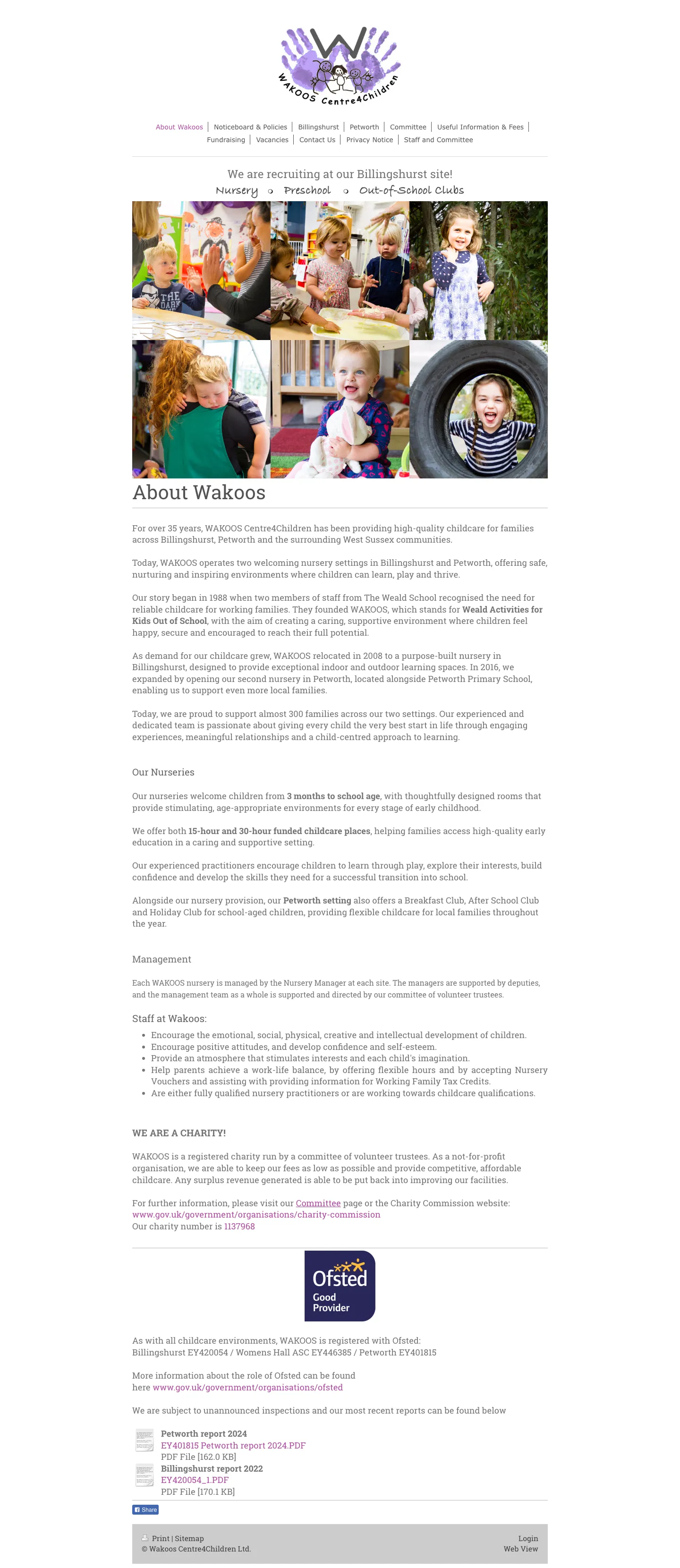
The old site sat on an ageing drag-and-drop builder: fixed-width desktop layout, policies and Ofsted reports bolted on as PDF links, and no route at all for a parent to find fees, funded hours or whether there was a place. The rebuild is a Next.js static export served from Cloudflare.
Every word on the new site is Wakoos's own, carried across from the old one. Where the new site says something the old one did not, it is because the wording already existed in a policy document or a fee schedule and had simply never made it onto a page.
 BeforeAfter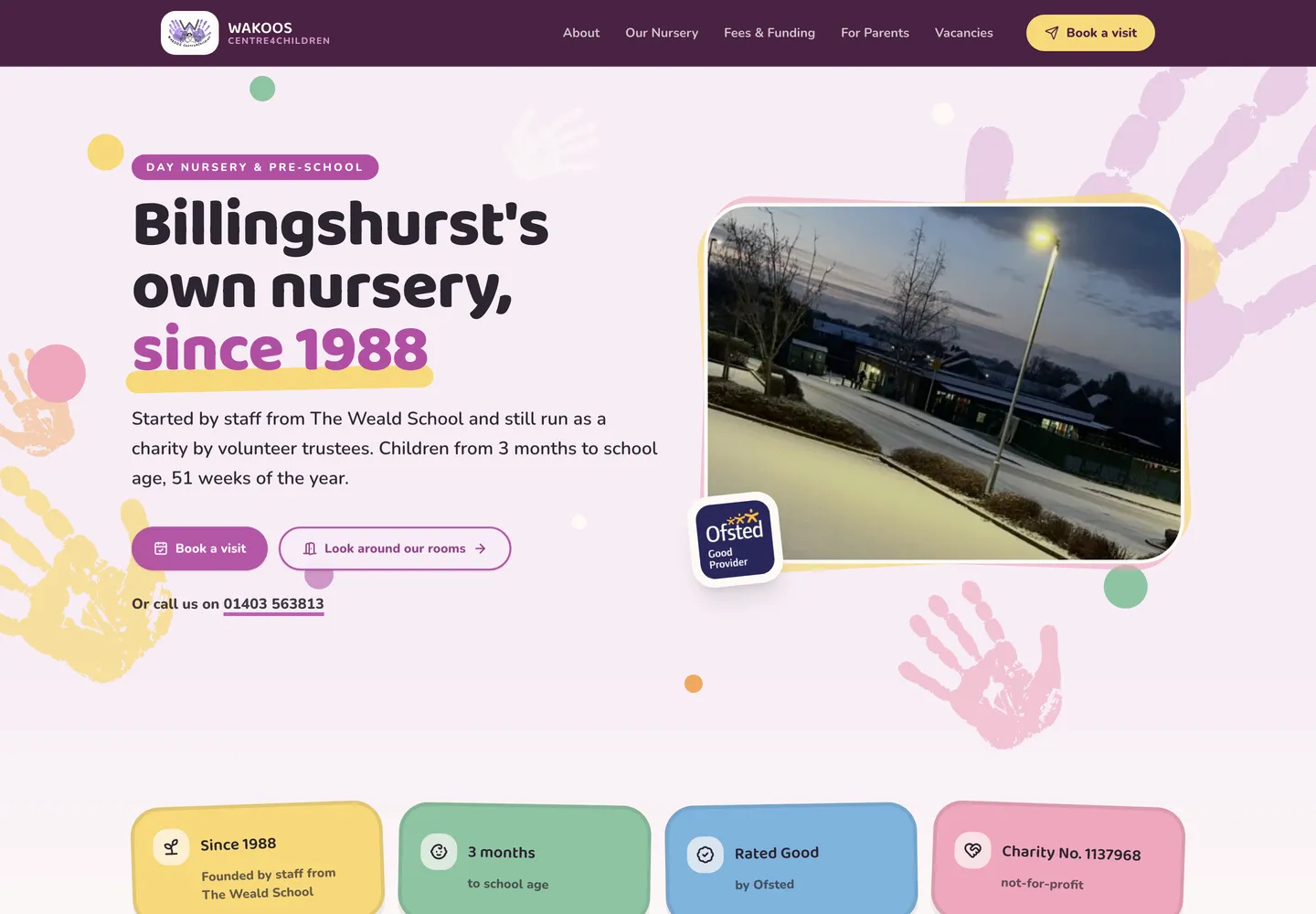
02 — The bill
There was no website bill
This is the part that took the longest and involved no code at all. I reconstructed the spend from 22 invoices covering January to July 2026, plus live DNS and registry checks. There was no single website bill. There were three contracts from one provider, invoiced on three different dates:
- £26.40 a month for a business listings subscription. It pushed the nursery's name, address and opening hours out to Google, Bing, Apple Maps and Yelp. Nothing to do with the website.
- £14.40 a month for the site builder. This was the actual website. The one being replaced.
- £17.06 a month, equivalent, for legacy shared hosting. Billed six months up front. It hosted the other domain, which did nothing but redirect. Both domain registrations were bundled inside it.
- £7.20 a month for a website builder add-on. A second site builder, on an account already paying for the first one. As far as I can tell it had never been used.
£65.06 a month. £781 a year. Two of those prices had gone up in July 2026 alone. This was a bill that was quietly growing while nobody was looking at it.
And the punchline: the single biggest line on the account was £317 a year, and it was not hosting. It was the listings subscription. The new website does not replace it and was never going to. Claiming the Google Business Profile and the Bing Places listing directly does the same job for nothing, and that decision was independent of the website. It could have been taken at any point in the previous decade.
Nobody on the committee could have told you what any of it was for, and I do not blame them. The invoices did not say.
03 — The trap
The domains were the part you cannot walk away from
Both domains are .co.uk, both were registered through the same provider, and both sat on the provider's nameservers. One was registered in March 2013, the other in July 2006. Long roots.
No domain charge appears on any invoice. The registrations were bundled as free inside the hosting packages, which is exactly the catch. Cancel the packages and the domains stop being free, and they cannot be cancelled and re-bought, because somebody else would buy them. They have to be transferred out.
Then the arithmetic that made it urgent. The contract holding both registrations is paid six months up front with no mid-term refund, so the sensible move is to cancel it to end at its term date in January 2027. The two domains expire in March 2027 and July 2027. Both expiries fall after the cancellation. A registry tag change does not move an expiry date either, so transferring buys no time.
A free domain inside a hosting package is a retention mechanism. It is the cheapest thing on the bill and the only thing on it you cannot walk away from.
One practical note, because the obvious answer is wrong. Cloudflare Registrar sells domains at cost, which makes it the reflex recommendation, and it does not sell .co.uk. Porkbun does, at close to cost, around £9 a year each.
04 — The email
It was never there to move
The scariest part of any migration like this is the email, and here the assumption everybody makes was wrong, mine included for the first hour.
Every address the nursery publishes sits on the second domain, and that domain has been on Microsoft 365 for years. The MX records, the SPF record and Microsoft's verification record were all in place and all pointed at Microsoft. The provider only ever held the registration. The mailboxes bundled with the website domain were uncharged and, as far as I can tell, unused.
So there was no email cost to cut, nothing to migrate, and no saving available. Which answers the question everyone asks next: should it move to Google Workspace? No. Both Microsoft 365 Business Basic and Google Workspace Business Starter are free to a registered charity under the respective nonprofit programmes, so the saving is exactly zero. The cost is a mailbox migration plus a nursery office learning Gmail.
Zero upside, maximum disruption. The cheapest change is the one you do not make.
05 — The numbers
Every Lighthouse score, up
The old site was slow and hard to use, and the numbers agreed. The rebuild pushed every category into the green.
Before — the old site
After — the rebuild
The figure I would actually point at is accessibility: 64 to 100. Performance is the one everybody quotes, but accessibility is the one that decides whether a parent using a screen reader, or squinting at a phone outside the nursery gate, can actually use the site.
Where the speed comes from is not clever. It is a static export: no server, no runtime API calls, nothing to compute when somebody asks for a page. Time to first byte measured 82ms to 202ms from Cloudflare's London edge, and the homepage is 22kB of gzipped HTML. The old site shipped 2.8MB of builder framework before a single word of content.
06 — The part the money doesn't show
What a page builder could not do
Wakoos had known the site was tired for years. The committee are volunteers: parents, and people who have worked in childcare for decades. Not one of them is a web developer, and there is no reason any of them should be. So they were stuck in the gap a site builder is designed to create, where in theory anyone can edit the site and in practice that means someone willing to learn a proprietary editor who is confident they will not break the page a parent is about to read.
And the platform could not have built what they actually needed even with an expert driving it:
- A fees calculator. Choose which sessions your child attends on which weekday, an age band, and whether you have 11 or 22 funded hours. It totals the week and the month, takes funded hours off the top, and adds meals automatically for the sessions that cover them. Behind it is a check script that re-tests the transcribed rates against the worked examples printed in the official fee schedule, so a mistyped price fails the build instead of quietly quoting a parent the wrong number.
- 24 policy, fees and Ofsted documents pulled off the old host and served from the new site, so nothing depends on the old provider staying up after the account closes.
- A 25-question FAQ, every answer assembled from wording Wakoos had already published somewhere a parent was never going to find it.
- Structured data on every page, tying the address, opening hours, phone number, charity number and Ofsted URN to one business. Aimed squarely at somebody searching for a nursery in Billingshurst.
- Link previews, so sharing the site in a WhatsApp group produces a branded card with the Ofsted rating and the funded places on it rather than a bare URL.
- A favicon. There was not one before.
07 — The migration
Not breaking what parents already had
One piece of craft I would repeat on every migration. None of this could be checked after the nameservers moved, because at that point the old provider stops answering for the domain and the old site is simply gone.
So the day before, I pulled the old sitemap and status-checked every path. Twenty URLs answered, and eight of them had no redirect configured, including two pages my own notes had confidently claimed needed none. A full mirror crawl then turned up 26 document URLs the sitemap did not list: every policy, fee schedule and parent leaflet, at the exact URLs that had been emailed to parents and quoted to the county council and to Ofsted. Of everything on that site, those were the likeliest to be sitting in somebody's bookmarks.
I covered them with one wildcard rather than 26 individual mappings. The ids belonged to the old builder and a hand-written table would rot the first time a policy was replaced. One extra click beats a 404 on a safeguarding document.
The old site is archived twice over, incidentally: a full local mirror of 21 pages, 28 documents and 87 images, and all twenty live URLs pushed to the Internet Archive. I verified each one as a stored capture rather than trusting the 200 from the save endpoint. Verify the thing, not the response about the thing.
08 — The playbook
The order you unpick it in
The sequence matters, and getting it wrong is how you take a nursery's email down.
- Recreate the existing DNS in Cloudflare first, then move the nameservers. Snapshot the zone while the old provider is still authoritative. Cloudflare's import scan finds the apex and www, but it cannot enumerate subdomains it has not been told about, and there were several. Every record you miss stops resolving the instant the nameservers change.
- Deploy and check on the live domain.
- Transfer the website domain whenever convenient. A
.co.ukmoves by registry tag change, with no auth code and no sixty day lock, and because Cloudflare already holds the nameservers the site does not notice. - Transfer the mail domain and recreate its DNS. The dangerous one. The MX records, the SPF record, Microsoft's verification record and the autodiscover entry all have to exist somewhere else first, or the mailboxes keep existing and nothing can reach them.
- Cancel the two monthly contracts. That is £40.80 a month, £490 a year, stopped immediately, and neither of them holds a domain. This is the saving available with no domain exposure whatsoever, the moment the new site is checked.
- Cancel the six-month contract to end on its term date. It is paid up front with no mid-term refund, so cancelling early throws money away. Diary it, and diary both domain expiries at the new registrar while you are there.
A correction worth including, because I got it wrong first. My initial version of that list put the registrar transfers first, and sent both domains to Cloudflare Registrar. Both wrong: Cloudflare does not do .co.uk, and the transfer is not a prerequisite for launch at all. What the bundling actually constrains is the cancellation order, not the launch order. Going live needed exactly one change in the old provider's control panel.
09 — The payoff
£781 a year becomes about £20 a year
Nothing to host. The site is a static export served by a Cloudflare Worker, comfortably inside the free plan. The only unavoidable cost left in the whole arrangement is the two domain names, at roughly £9 a year each. That is a saving of about £761 a year, or £444 if the charity chooses to keep the listings subscription, which is a fair choice and somebody else's to make.
The point I want to land is that this is a complete exit, not a reduction. The provider supplied four things, and three of them already had somewhere better to be: the website, which Cloudflare serves for nothing; the two registrations, at about £20 a year at cost; and a set of mailboxes nobody used. The listings subscription was never a hosting cost in the first place. And the email, the thing I was most worried about, needed no action at all, because it had never been there.
The last piece is the one that decides whether any of this holds. Content lives in Sanity, so a committee member edits the fees, the vacancies or the staff list in a browser, on their phone if they like, hits publish, and the site rebuilds itself. No proprietary editor to learn, no page to accidentally break, and no phone call to me. That is the difference between a site a volunteer committee owns and a site they merely pay for.
And in the spirit of not overselling it: the site is live, but the exit is not finished. Two domain transfers and one cancellation to go, and the last one waits until January because leaving early costs more than staying. I will diary it, which is, I am told, the actual job of a treasurer.
It's live.
Go and price up a week of childcare, then read the policies nobody could find before.