12 min read
Setting up email for a small business
Every client site I've built has needed email, and nearly all of them needed the same small thing. Then one client wanted to send email out from his own address. Three levels of setup, what each really costs, and why the free options quietly rule out the third.

Every client website I've built has needed email in some form, and until recently they all needed the same small thing: a contact form that lands somewhere they'll read it. Then Scott, whose site I look after at Split Lip Adventures, wanted to send email out from his own business address. He's the only client so far who has, and it turned out to be a completely different job from the one I'd done four times before.
There are really three levels of business email, and they escalate in price and in what they commit you to. Worth understanding all three before you build the first one, because the two free options quietly rule out the third.
Level one: a contact form, and nothing else#
This is what most small businesses actually want. Customers need a way to reach them, the owner already has an inbox they read every day, and that's the entire requirement. No new mailbox, no new address, no monthly cost.
A static site has no server, so the form needs something somewhere to do the actual sending. Cloudflare has a native binding for exactly this, free, with no third-party account to sign up for:
"send_email": [
  { "name": "SEND_EMAIL", "destination_address": "you@yourdomain.com" }
]import { EmailMessage } from "cloudflare:email";
await env.SEND_EMAIL.send(new EmailMessage(from, to, rawMimeString));Ten lines, no vendor, nothing to renew. For every client site I've built bar one, that is the entire email story and everybody is happy.
What it isn't, and this matters later: it's a feature of Cloudflare Email Routing, and it can only send to an address you've already verified there. It's Email Routing in reverse, built so a Worker can email the domain's owner. It is not a general-purpose sender, and it is not a mailbox.
Level two: an address on the domain that customers can write to#
The next step up is wanting hello@yourbusiness.com on the website instead of a personal Gmail address. Cloudflare Email Routing does this for free: it forwards mail sent to the business address into whatever inbox the owner already uses.
Customers see a business address. The owner reads their mail where they've always read it. Still £0, still nothing to maintain, and for a lot of one-person businesses it's genuinely enough.
It has two ceilings, and the first one is the one people trip over:
- You can receive but not answer as yourself. Forwarding is one-directional. Hit reply and the message goes out from the personal address behind it, which looks unprofessional and confuses anyone who filed the original thread.
- It pins your domain's MX record to Cloudflare. Email Routing won't coexist with anyone else's mail servers.
Scott arrived at me on a version of exactly this. He was getting forwarded copies of everything sent to his business address, and could not answer anybody as himself. That's the ceiling, and it's the point where email stops being free.
Level three: sending out from your own address#
Here's the part I'd want to know before starting, and the reason this post exists.
Levels one and two are free for the same underlying reason: Cloudflare owns your domain's MX record. A real mailbox provider, Google, Microsoft, Zoho, anyone, needs that same MX record pointed at them instead. So moving to level three doesn't extend the free setup. It dismantles it. The contact form built on send_email stops working the day you buy a proper mailbox, because the two cannot coexist on one domain.
Nothing warns you about this at the point of choosing. You pick the free native option because it's free and native, and months later you discover it came with a clause: never a real mailbox on this domain. (Cloudflare's newer paid Email Sending product does sidestep it, by authenticating on a cf-bounce subdomain rather than the root MX, so it coexists with Google fine. It just isn't free.)
A quick aside: registrar, DNS and mailbox are three different things#
This is the point where the distinction starts to matter, and it's the one clients conflate most:
- Registrar: who you buy and renew the domain name from.
- DNS host: who answers nameserver queries and holds your records.
- Mailbox host: who actually stores and serves the mail.
Scott's DNS was already delegated to Cloudflare and his mailbox came bundled with an old hosting account, so he was on the verge of switching registrar to fix an email problem the registrar had nothing to do with. Mail follows the MX record, the MX record lived in Cloudflare's DNS, and a new registrar would only need the same nameservers typed in. The one real coupling was the hosting account itself: transferring the domain wouldn't have killed the mailbox, but cancelling the account would.
Picking the mailbox#
So, level three. Where does the mailbox actually live? The realistic options, with real prices:
- Cloudflare Email Routing: free. Inbound forwarding only, cannot send. This is level two.
- Zoho Mail Forever Free: free. A real mailbox, 5GB, up to 5 users, but webmail and Zoho's own app only. No IMAP, POP or SMTP.
- Purelymail: about $10/yr. The cheapest real IMAP mailbox I know of.
- Migadu: about $19/yr. Priced per domain rather than per user.
- Porkbun Email: about $24/yr per mailbox. 10GB, webmail plus IMAP. Convenient if the domain lives there.
- Fastmail: about £3/month. Mail-focused and well regarded.
- Microsoft 365 Business Basic: about £4.50/user/month. Outlook-native.
- Google Workspace Business Starter: £5.90/user/month ex VAT on annual, roughly £85/yr inc VAT. 30GB, Calendar, Drive, Docs, Meet, and the best spam filtering there is.
If the client already pays for iCloud+, its custom domain support is close to free and worth checking first.
"Free email means you'll land in spam" is a myth#
This comes up with every client, so it's worth settling. Inbox or junk is decided by authentication (SPF, DKIM, DMARC) and the reputation of the sending servers. Not by whether money changed hands. Zoho's free tier sends through the same infrastructure as its paid tier.
The genuinely junk-prone option here is the opposite of what people expect: a free shared-IP SMTP relay, because spammers abuse the same IP pools. Free mailboxes are fine. Free relays are the risk. The real deliverability gap is Google-tier reputation against everyone else, not paid against free.
So what does £85 a year actually buy?#
Not send limits. Those are irrelevant for one person, every option on that list handles far more mail than a human sends. What you're buying is inbound spam filtering quality, consistent outbound reputation, and support with an SLA attached.
The argument that decided it for Scott: a published business address gets scraped and hammered. Crude filtering fails in both directions. Junk floods the inbox, and occasionally a real enquiry from a sponsor or an event organiser gets eaten. That second failure is silent. You never find out the email existed, so nothing ever tells you the cheap option is costing you work.
Which generalises well past email: pay to eliminate silent failure modes, be cheap where failures are loud. A noisy failure you'll notice and fix in an afternoon. A silent one compounds forever.
And it's reversible. Both ends are IMAP, so moving later is a drag-and-drop and an MX change.
A short decision list#
- Only need a form: Cloudflare
send_email, free, ten lines. - Want a domain address customers can write to: Email Routing, free, but no replying as yourself.
- Need to send, one person, cost matters most, happy in webmail: Zoho free.
- Need Outlook or Apple Mail and want it cheap: Purelymail, Migadu or Porkbun, £10 to £24/yr.
- Public-facing business where a missed enquiry costs real money: Google Workspace.
- Already living inside Microsoft: 365 Business Basic.
The DNS records, and the bug a passing test hid#
Google Workspace needs four things in DNS:
MX    @                    1 smtp.google.com
TXT   @                    v=spf1 include:_spf.google.com ~all
TXT   google._domainkey    (generated in the Admin console)
TXT _dmarc v=DMARC1; p=none; rua=mailto:...- That single MX record is the modern setup. The legacy five-record ASPMX set still works if you've already got it.
- Only one SPF record is allowed per domain. If there's already one, merge the
include:, don't add a second TXT. (Agoogle-site-verificationTXT on the same name isn't SPF and doesn't conflict.) - DKIM has to be generated in the Admin console first, then added to DNS, then you go back and click Start authentication. Missing that last click is the common one.
- Start DMARC at
p=noneand tighten toquarantineonce the reports look clean. Cloudflare's DMARC Management gives you a free dashboard and parsed reports instead of raw XML in your inbox.
Now the interesting part. After setup, test mail sent fine and landed in the inbox rather than junk. SPF was missing entirely. Only DKIM and DMARC had been added.
It worked because DMARC passes if either SPF or DKIM aligns, and DKIM was valid. It still mattered, for two reasons. SPF returns none to every receiver, and some of them weight that against you. And forwarding breaks DKIM, because the forwarding server alters the message, so with no SPF there's no fallback and a forwarded copy of your mail fails DMARC outright.
A passing smoke test hid a real misconfiguration, because the failure only appears in the scenario nobody tests. Which is precisely the scenario that mailing lists and "FYI, passing this on" produce all day.
One signup trap while I'm here: if Google refuses your chosen address with "this email address is associated with another Google service", but signing in with it says the account doesn't exist, it's usually a legacy Ads-only account reserving the name. The restriction is pre-verification only, so sign up as admin@yourdomain.com, verify the domain, then rename the user in Directory. Renaming is free, doesn't burn a second seat, and keeps the old address as an alias.
The form still needs a backend#
With the MX record now pointing at Google, send_email is gone and the contact form needs somewhere else to go. The instinctive question is a good one: I'm paying Google for email, why can't the website just send through that? Workers can open raw TCP sockets, so technically you can speak SMTP from one, but you're hand-writing SMTP, TLS and AUTH. That's sixty fragile lines nobody wants to own.
The shortcut that makes the instinctive answer actually work is Google Apps Script. It's a JavaScript runtime inside your Google account. Deploy a script as a web app, Google hands you a URL, you POST to it, and your code runs on Google's servers under your identity. It's a free serverless backend most people don't realise they already have.
Because it runs as the Workspace user, MailApp.sendEmail() sends from that address natively. No SMTP, no API keys, no third party sitting in the middle of a client's enquiries. The whole thing:
const SECRET = "...a long random string...";

function doPost(e) {
  const d = JSON.parse(e.postData.contents);
  if (d.secret !== SECRET) return ContentService.createTextOutput("no");

  MailApp.sendEmail({
    to: "you@yourdomain.com",
    subject: "New enquiry",
    replyTo: d.email,
    body: `Name: ${d.name}\nEmail: ${d.email}\nPhone: ${d.phone}\n\n${d.message}`,
  });

  return ContentService.createTextOutput("ok");
}
Deploy settings that matter:
- Deploy, New deployment, type Web app.
- Execute as: Me. Critically, the script must be owned by the account you want the mail to come from, because it sends as its owner.
- Who has access: Anyone. Required, or your Worker can't call it unauthenticated.
- You'll get a "Google hasn't verified this app" warning. Advanced, go to it anyway, allow. Normal for your own scripts, and a one-time step.
The shared secret isn't optional. "Anyone" access means a public, unauthenticated endpoint. Without it, anyone who finds the URL can post mail into your inbox, from your own address, sailing past every spam filter you own because you trust yourself. It's five lines.
Quotas are 1,500 emails a day on Workspace, 100 on a consumer Gmail account. For a contact form, neither is a constraint.
Three gotchas that cost me time#
1. The 302, which is the nasty one. Apps Script runs your doPost, then issues a 302 redirect to a one-time script.googleusercontent.com URL holding the response body. A Cloudflare Worker's fetch can't auto-follow that, because the request body has already been consumed. So the Worker sees a raw 302, its response.ok check fails, and it reports failure while the email is being sent perfectly. A false negative, which is the most confusing kind of bug there is. Follow it by hand:
let res = await fetch(ENDPOINT, { method: "POST", redirect: "manual", body });

if (res.status === 302) {
  const location = res.headers.get("location");
  res = await fetch(location); // this one holds the actual response body
}
The same quirk makes command-line testing misleading: curl -L on the /exec URL returns a baffling 405. Test it in two steps instead:
U=$(curl -s -o /dev/null -w "%{redirect_url}" -X POST \
  "https://script.google.com/macros/s/.../exec" \
  -H 'Content-Type: application/json' \
  -d '{"secret":"...","name":"test","email":"me@example.com","message":"hello"}')

curl -s "$U"   # -> ok
2. It returns HTTP 200 even when it rejects you. createTextOutput("no") is still a 200. Check the body text, not just the status, or a wrong secret looks exactly like success.
3. Editing needs a new version, not a new deployment. Manage deployments, pencil icon, Version: New version. Pick "New deployment" instead and Google mints a brand-new URL while your old one carries on serving the old code. A classic footgun, and an easy hour to lose.
On authorisation, since people fear this one: it's one-time at first deploy and it doesn't expire. It only comes back if the script starts needing a new permission scope. Editing the message body or a constant doesn't trigger it. Genuinely set and forget.
What each level costs#
- Level one, contact form only: £0. Cloudflare
send_email, ten lines. - Level two, domain address forwarded to an existing inbox: £0. Cloudflare Email Routing.
- Level three, a real mailbox you can send from: about £85/yr inc VAT for Google Workspace, plus £0 for the Apps Script backend, plus £0 for DNS and hosting. No transactional email service needed.
The cheap-as-possible version of level three is a Purelymail or Migadu mailbox at £10 to £19/yr with a free relay's API for the form, or Zoho free plus Apps Script if the client can live in webmail. Same shape, a tenth of the price, more silent failure modes.
What I'd tell the next client#
- Work out which of the three levels they actually need before building anything. Most small businesses need level one and are perfectly happy there.
- Registrar, DNS and mailbox are three separate things. Knowing which one owns the problem stops you solving the wrong one.
- Free platform features can quietly constrain your architecture.
send_emailis free and native and forecloses ever putting a real mailbox on that domain. - "It's delivering" isn't "it's configured correctly". A missing SPF record was invisible right up until someone forwards your mail.
- Pay to eliminate silent failure modes, be cheap where failures are loud.
- You may already be paying for the backend you need. Apps Script turned "which vendor do I sign up with" into "use the Google account that's already open in the next tab".
Scott sends and receives from his own address now, in his own mail client, as himself. The other client sites are still sitting happily on level one, costing nothing, and there's no reason to move them.
Enjoyed this one?
Hit the heart so I know to write more like it.
Keep reading

WAKOOS Centre4Children is live
WAKOOS Centre4Children is up: a charity nursery in Billingshurst, off an ageing drag-and-drop site builder and onto Next.js on Cloudflare. £781 a year of hosting became about £20, and the £20 is just the domain names.
Split Lip Adventures is live
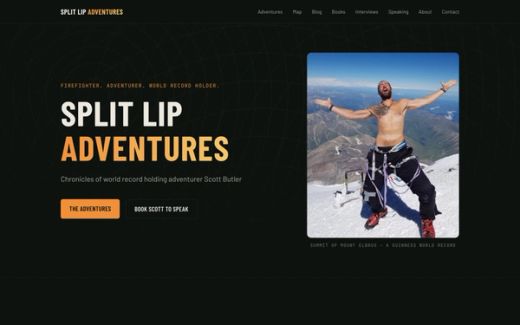
Split Lip Adventures is up: the new home of firefighter and world-record adventurer Scott Butler, rebuilt from a 2007-era site builder into a fast Next.js site on Cloudflare. And a note on how this kind of work is becoming my bread and butter.

New Role Unlocked: Nursery Treasurer
I've just joined my local nursery's committee as treasurer. Here's what the DBS check taught me about patience, and what an engineer thinks they can bring to a role built on spreadsheets.